DIY Passport Photos: 5 Rejection-Proof Tips for Success
Avoid passport rejection with these 5 essential tips for taking compliant passport photos at home. AI tools make it easy!
Taking your passport photo at home can save you time and money, but it’s also easy to make mistakes that could lead to rejection by authorities. With increasingly strict requirements for official identification photos, even small errors can result in delays in your passport application process. In this guide, we’ll walk you through the five most common mistakes people make when taking passport photos at home and show you how to avoid them—plus introduce a smart solution that makes the entire process effortless.
1. Using an Improper Background
One of the most common reasons for passport photo rejection is using the wrong background. Government regulations typically require:
- A plain, light-colored background (usually white, cream, or light grey)
- No patterns, textures, or shadows
- No other objects or people visible in the frame
Common mistakes:
- Using a colored wall that isn’t white
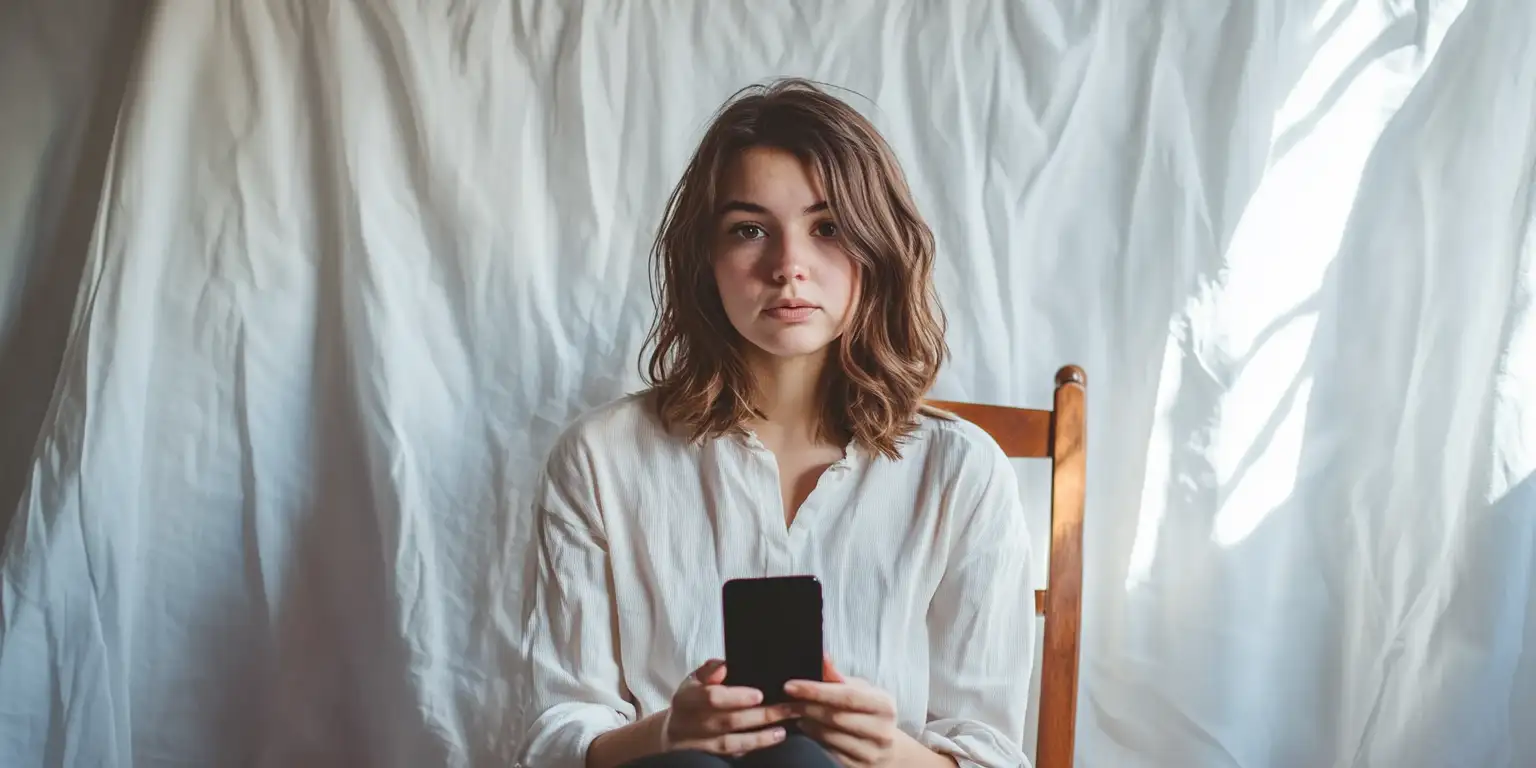
- Standing in front of textured surfaces like curtains or blinds
- Capturing shadows on the background
- Taking the photo in a room with visible objects in the background
How to fix it: Set up a proper backdrop using a white sheet or poster board. Make sure it’s properly lit to avoid shadows and extends fully behind your head and shoulders. Position yourself far enough from the background to prevent casting shadows.
2. Incorrect Head Positioning and Size
Passport photos have specific requirements for how your head should appear in the frame:
- Your head must be centered
- Eyes must be at the correct height in the frame
- The head should occupy about 70-80% of the frame’s height
- Both ears should typically be visible (unless covered by hair)
Common mistakes:
- Taking the photo from an angle rather than straight-on
- Positioning the head too close or too far from the camera
- Having your head tilted or rotated
- Cropping the photo incorrectly so your head size doesn’t meet requirements
How to fix it: Use a tripod if possible, or have someone else take the photo. Stand directly facing the camera at the correct distance (usually 1.5-2 meters). Look straight ahead with your head level. When cropping, follow the exact measurements required by your country’s passport office.
3. Poor Lighting Conditions
Lighting can make or break your passport photo. Proper lighting ensures your features are clearly visible without shadows or glare.
Common mistakes:
- Harsh shadows across your face
- Overexposure or underexposure
- Glare on glasses
- Red-eye effect
How to fix it: Use natural, diffused lighting whenever possible. Position yourself facing a window with soft, indirect light, or use multiple light sources to eliminate shadows. If wearing glasses, angle them slightly downward to prevent glare.
4. Inappropriate Facial Expressions
Your facial expression plays a crucial role in passport photo acceptance. The requirements are specific about what constitutes an acceptable expression.
Common mistakes:
- Smiling or showing teeth
- Having a too serious or angry expression
- Squinting or blinking when the photo is taken
- Having unnatural facial expressions
How to fix it: Hold a neutral, natural expression. Relax your facial muscles and look straight into the camera. Practice in front of a mirror first to find the right expression. Remember that the photo should represent your natural, everyday appearance.
5. Technical Quality Issues
Many rejections stem from technical aspects of the photo that are easy to fix.
Common mistakes:
- Photo too large or too small
- Low resolution or pixelated images
- Digital filters or editing
- Photo too old (older than 6 months)
How to fix it: Use correct camera with high resolution. Avoid all digital filters or editing. Print on quality photo paper. Take the photo within the last 6 months. Use a ruler to verify dimensions before printing.
Introduction to a Smart Solution
While you can avoid these mistakes through careful attention, there’s an easier way: id-photo.ai. This AI-driven tool:
- Automatically detects and corrects mistakes: The system scans your photo and points out problems before you submit it
- Provides exact cropping and sizing: No guessing about dimensions or positioning
- Ensures compliance: Verifies against Swedish authority requirements
- Offers immediate feedback: See results instantly and make adjustments
- Saves time and frustration: No risk of rejection due to technical errors
Why People Still Make These Mistakes
Despite clear guidelines, many people make the same errors for several reasons:
- Lack of awareness: Not everyone knows the specific requirements
- Home conditions: Difficult to create perfect studio environments at home
- Technical limitations: Smartphone cameras can be insufficient
- Hurry: People rush through the process and miss details
Professional Services vs. DIY
While professional services can provide guarantees, DIY with the right tools offers the same reliability at lower cost. Id-photo.ai combines the best of both worlds: DIY convenience with professional accuracy.
Final Advice for Success
Follow this checklist before submitting your passport photo:
- Background is plain and light
- Head is correctly centered and sized
- Lighting is even without shadows
- Expression is neutral and natural
- Technical quality is high (correct size, high resolution)
- Photo is taken within the last 6 months
By avoiding these five common mistakes and using smart tools like id-photo.ai, you can ensure that your passport photo is approved on the first try, saving time, money, and frustration.
Ready to create your passport photo?
Get your perfect passport photo in minutes with our AI-powered tool. Create Photo Now